
Last updated:
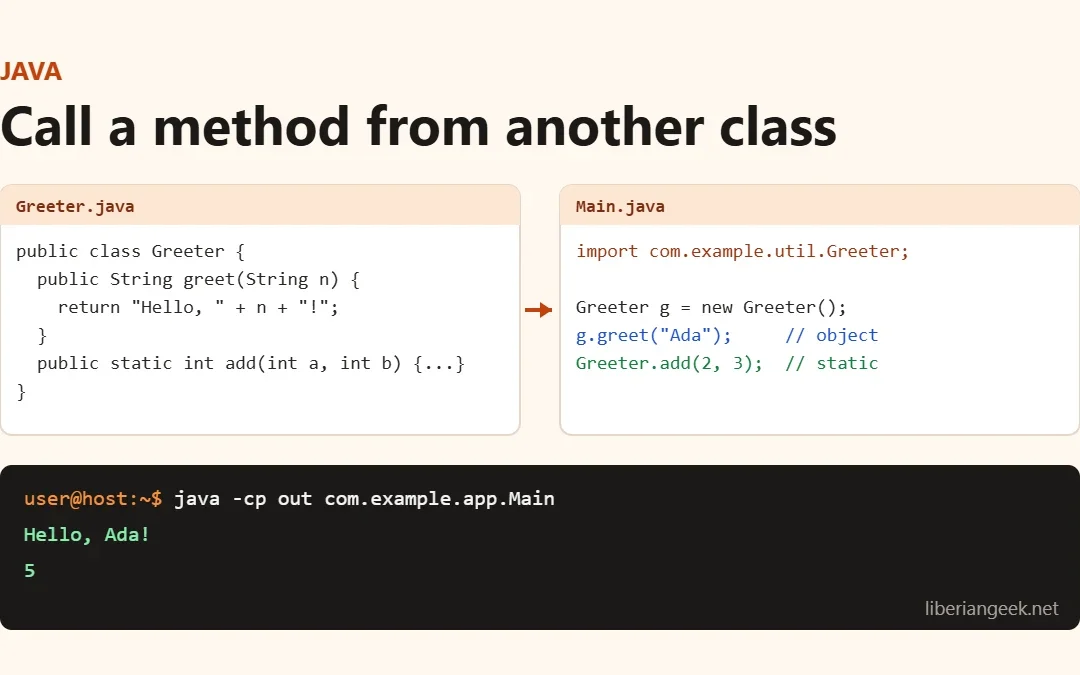
Quick answer: to call a method from another class in Java, create an object of that class and use dot notation, for example Greeter g = new Greeter(); g.greet("Ada");. If the method is static, call it on the class name instead: Greeter.add(2, 3);. If the other class is in a different package, the class and method must be public and you need an import. A private method cannot be called from another class; add a public method that calls it.
Every example below was compiled and run with OpenJDK 21 (javac 21.0.12) on 15 November 2026. Which call you write depends on how the method is declared:
| Method declared as | Call it from another class with | Works from |
|---|---|---|
public void greet() (instance) | new Greeter().greet() or obj.greet() | Any class (import it if it is in another package) |
public static int add() | Greeter.add(2, 3) | Any class, no object needed |
void printID() (no modifier, “package-private”) | obj.printID() | Classes in the same package only |
protected void printID() | obj.printID(), or printID() inside a subclass | Same package, plus subclasses in other packages |
private void printID() | Not directly; call a public method that uses it | Only its own class |
Call a method from a class in another file and package
This is the setup most real projects have: one public class per .java file. Greeter lives in com/example/util/Greeter.java:
package com.example.util;

public class Greeter {
    public String greet(String name) {
        return "Hello, " + name + "!";
    }

    public static int add(int a, int b) {
        return a + b;
    }
}
Main in com/example/app/Main.java imports it, creates an object for the instance method, and uses the class name for the static one:
package com.example.app;

import com.example.util.Greeter;

public class Main {
    public static void main(String[] args) {
        Greeter greeter = new Greeter();          // instance method: needs an object
        System.out.println(greeter.greet("Ada"));
        System.out.println(Greeter.add(2, 3));    // static method: use the class name
    }
}
Compile both files from the folder that contains src, then run the class with the main method:
javac -d out src/com/example/util/Greeter.java src/com/example/app/Main.java
java -cp out com.example.app.Main
Hello, Ada!
5Without the import line, javac stops with error: cannot find symbol ... symbol: class Greeter. The examples below put both classes in one file to keep them short; that only works because the second class is not public.
Call an instance method with an object
Default (package-private) method
A method with no access modifier can be called from any class in the same package. Create an object with new and call the method on it:
package jbArticles;
class IDDetail {
  void printID() {
    System.out.println("Student ID: " +1);
}
}
public class Methodcall {
public static void main(String[] args) {
  IDDetail ob = new IDDetail();
  ob.printID();
}}
Public method
A public method is called the same way, but it also works from classes in other packages (as in the Greeter example above):
package jbArticles;
class IDDetail {
public void printID() {
  System.out.println("Student ID: " +1);
}
}
public class Methodcall {
public static void main(String[] args) {
  IDDetail ob = new IDDetail();
  ob.printID();
}}
Protected method
A protected method is visible to every class in the same package and to subclasses in other packages. In this example both classes are in jbArticles, so the call would work even without extends IDDetail; the extends only becomes necessary when the subclass is in a different package.
package jbArticles;
class IDDetail {
protected void printID() {
  System.out.println("Student ID: " +1);
}
}
public class Methodcall extends IDDetail{
public static void main(String[] args) {
  IDDetail ob = new IDDetail();
  ob.printID();
}}
Call a static method with the class name
A static method belongs to the class, not to an object, so you call it with ClassName.method():
Stuck at this step? Ask us, it is free and include the exact error.
package jbArticles;
class IDDetail {
static void printID() {
  System.out.println("Student ID: " +1);
}
}
public class Methodcall {
public static void main(String[] args) {
  IDDetail.printID();
}}
Doing the same with a method that is not static is the most common mistake. javac 21 reports:
error: non-static method printID() cannot be referenced from a static context
  IDDetail.printID();
          ^
Fix it by creating an object first (new IDDetail().printID()), or make the method static if it does not use any instance fields.
Private methods: why they fail and what to do
A private method can only be called inside its own class. Calling it from another class does not compile:
error: printID() has private access in IDDetail
  ob.printID();
    ^
The normal fix is to add a public (or package-private) method in the same class that calls the private one, or to change the modifier if other classes really need it. The reflection API can bypass the check, which some test code and frameworks do, but avoid it in normal code: it is slower, breaks silently when the method is renamed, and is blocked across module boundaries unless the package is opened.
package jbArticles;
import java.lang.reflect.Method;
class IDDetail {
private void printID() {
  System.out.println("Student ID: " +1);
}}public class Methodcall {
public static void main(String[] args) throws Exception {
  IDDetail ob = new IDDetail();
  Method x = IDDetail.class.getDeclaredMethod("printID");
  x.setAccessible(true);
  x.invoke(ob);
}}
Call a parent class method from a subclass
With inheritance, a subclass can call the parent’s public, protected (and, in the same package, package-private) methods directly by name, without an object:
package jbArticles;
class IDDetail {
public void printID() {
  System.out.println("Student ID: " +1);
}}
class Child extends IDDetail{
public void displayName() {
  printID();
  System.out.println("Student Name: David");
}
}
public class Methodcall {
public static void main(String[] args) throws Exception {
  Child ob = new Child();
  ob.displayName();
}}
If the subclass overrides the method and you still want the parent version, call super.printID().
Call the main() method of another class
main is just a public static method, so another class can call it with the class name and a String[] argument:
package jbArticles;
class Helper {
  public static void main(String[] args) {
    System.out.println("Helper.main() received " + args.length + " argument(s): " + String.join(", ", args));
  }
}
public class Methodcall {
  public static void main(String[] args) {
    Helper.main(new String[] {"alpha", "beta"});
  }
}
Helper.main() received 2 argument(s): alpha, betaPass an empty array (new String[0]) rather than null when there are no arguments, because code inside main often reads args.length. A method can also call main of its own class again, but it needs a stop condition, or it recurses until a StackOverflowError. The original example used a counter for that:
package jbArticles;
class Methodcall {
static int counter = 0;
static void mainInvoke(){
  counter++;
if (counter <= 2) {
  main(null);
}
}
public static void main(String[] args){
  System.out.println("Calling the main() Method");
  mainInvoke();
}}
Troubleshooting
| Compiler error | Cause | Fix |
|---|---|---|
non-static method ... cannot be referenced from a static context | Instance method called with the class name | Create an object first, or make the method static |
cannot find symbol ... symbol: class Greeter | Class is in another package and not imported (or not compiled) | Add import com.example.util.Greeter; and compile both files |
printID() has private access in IDDetail | Method is private | Call it through a public method in the same class |
... is not public in ...; cannot be accessed from outside package | Class or method has no modifier and you are in another package | Make the class and method public |
NullPointerException when calling the method | The object variable was never assigned with new | Create the object before calling the method |