
Last updated:
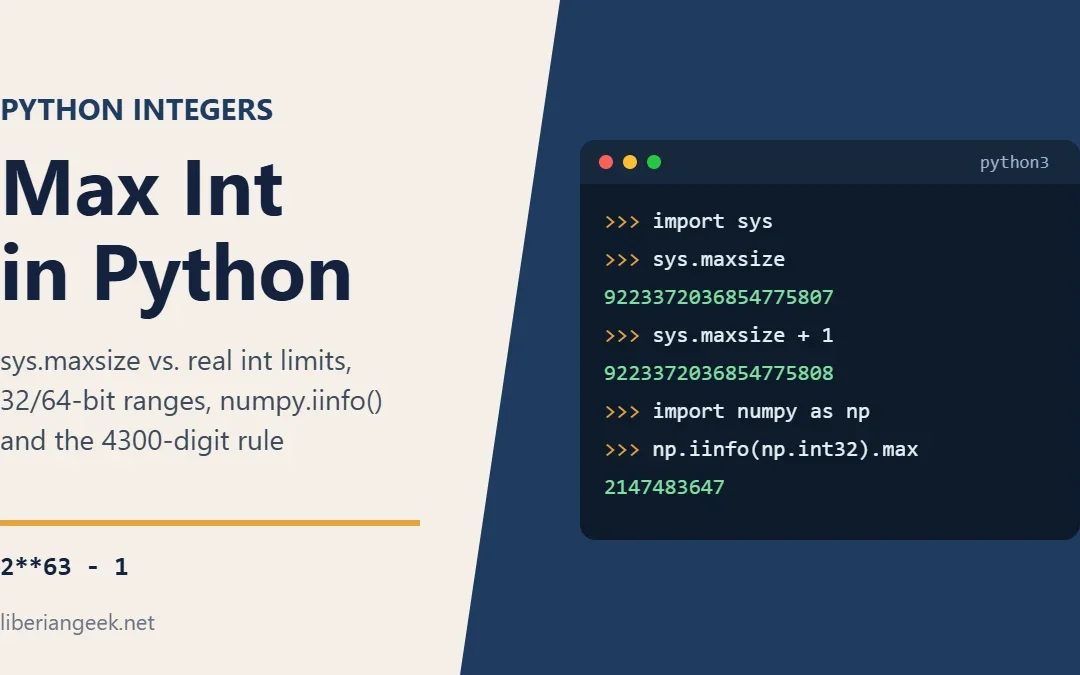
Quick answer: Python 3 has no maximum integer. A normal int keeps growing until your computer runs out of memory. The value most people mean by “Python max int” is sys.maxsize, which is 9223372036854775807 (263 – 1) on 64-bit Python and 2147483647 (231 – 1) on 32-bit Python. The matching minimum is -sys.maxsize - 1. For fixed-size NumPy integers, use numpy.iinfo(), for example numpy.iinfo(numpy.int32).max returns 2147483647.
Every code sample and output on this page was re-run on 15 November 2026 with Python 3.13.18 and NumPy 2.5.3 on 64-bit Ubuntu Linux (x86_64). Pick the limit that matches what you are actually trying to do:
| You need | Use | Value on 64-bit Python |
|---|---|---|
| Largest index or container size Python allows | sys.maxsize | 9223372036854775807 |
| The matching minimum | -sys.maxsize - 1 (or ~sys.maxsize) | -9223372036854775808 |
32-bit signed range (C int, Java int) | 2**31 - 1 and -2**31 | 2147483647 and -2147483648 |
| Range of a NumPy integer type | numpy.iinfo(numpy.int64) | min -9223372036854775808, max 9223372036854775807 |
| Starting value for a running max or min | -math.inf and math.inf | float infinity |
Largest decimal string Python will convert to or from int | sys.get_int_max_str_digits() | 4300 digits (default) |
Get the max and min int with sys.maxsize
sys.maxsize is the largest value a Py_ssize_t can hold. That is the C type CPython uses for lengths and indexes, so it is the practical upper limit for things like len(), list indexes and slice positions. The Python documentation describes it as usually 2**31 – 1 on a 32-bit platform and 2**63 – 1 on a 64-bit platform.
import sys

# max integer value
int_max = sys.maxsize

# min integer value
int_min = -sys.maxsize - 1

print("maximum integer value: ", int_max)
print("The minimum integer value: ", int_min)
~sys.maxsize (bitwise NOT) gives the same minimum, because ~x equals -x - 1. To confirm which build you are running, compare sys.maxsize with the power of two:
import sys

print("sys.maxsize:     ", sys.maxsize)
print("-sys.maxsize - 1:", -sys.maxsize - 1)
print("2**63 - 1 == sys.maxsize:", 2**63 - 1 == sys.maxsize)
Output on 64-bit Python:
sys.maxsize:      9223372036854775807
-sys.maxsize - 1: -9223372036854775808
2**63 - 1 == sys.maxsize: True
If the last line prints False and sys.maxsize is 2147483647, you are on a 32-bit Python build.
Python int has no upper limit
sys.maxsize is not the biggest integer Python can store. Python 3 integers have arbitrary precision, so adding 1 to sys.maxsize simply gives a bigger int:
import sys

big = sys.maxsize + 1
print(big)
print(type(big))
print(2**100)
print(sys.int_info)
9223372036854775808
<class 'int'>
1267650600228229401496703205376
sys.int_info(bits_per_digit=30, sizeof_digit=4, default_max_str_digits=4300, str_digits_check_threshold=640)sys.int_info describes how CPython stores those big integers internally (30-bit digits here). The only real limits are memory and speed: arithmetic on numbers with millions of digits works, but it gets slow.
The limit only shows up when a value has to fit into a C-sized slot. len() is one example:
import sys

r = range(sys.maxsize + 1)
print(len(r))
OverflowError: Python int too large to convert to C ssize_tWhat happened to sys.maxint?
Python 2 had sys.maxint, the largest value of a plain int before it switched to the long type. Python 3 removed it because integers no longer have a limit; the Python 3.0 “What’s New” notes point to sys.maxsize as the replacement for code that needs a very large practical number. Old code fails like this:
AttributeError: module 'sys' has no attribute 'maxint'Replace sys.maxint with sys.maxsize, or with math.inf if you only needed “a number bigger than anything in my data”.
32-bit and 64-bit integer limits
Searches for “python max int 32” usually come from code that must match a fixed-size type in C, Java, a database column or a file format. Python will not enforce those ranges for you, so write the bounds explicitly:
INT32_MAX = 2**31 - 1
INT32_MIN = -2**31
print(INT32_MAX, INT32_MIN)
2147483647 -2147483648Reference values for the common fixed widths, printed by numpy.iinfo():
| Type | Minimum | Maximum |
|---|---|---|
| int8 | -128 | 127 |
| int16 | -32768 | 32767 |
| int32 | -2147483648 | 2147483647 |
| int64 | -9223372036854775808 | 9223372036854775807 |
| uint8 | 0 | 255 |
| uint32 | 0 | 4294967295 |
| uint64 | 0 | 18446744073709551615 |
Integer limits for NumPy types with numpy.iinfo()
NumPy integers are fixed-width, unlike Python’s int. numpy.iinfo() takes a type (or dtype) and returns its min and max:
Stuck at this step? Ask us, it is free and include the exact error.
import numpy

# Finding the max and min val for int-8 size
print(numpy.iinfo(numpy.int8))

# Finding the max and min val for int-16 size
print(numpy.iinfo(numpy.int16))

# Finding the max and min val for int-32 size
print(numpy.iinfo(numpy.int32))

# Finding the max and min val for int-64 size
print(numpy.iinfo(numpy.int64))
To read the values in your own code, use the .min and .max attributes instead of printing the whole object:
import numpy as np

for t in (np.int8, np.int16, np.int32, np.int64, np.uint8, np.uint32, np.uint64):
    info = np.iinfo(t)
    print(f"{info.dtype}: min={info.min}, max={info.max}")
int8: min=-128, max=127
int16: min=-32768, max=32767
int32: min=-2147483648, max=2147483647
int64: min=-9223372036854775808, max=9223372036854775807
uint8: min=0, max=255
uint32: min=0, max=4294967295
uint64: min=0, max=18446744073709551615Older tutorials write numpy.iinfo(numpy.int(8)). That no longer runs: the numpy.int alias was deprecated in NumPy 1.20 and removed later, so current NumPy raises AttributeError: module 'numpy' has no attribute 'int'. Use a sized type such as numpy.int32 or numpy.int64.
NumPy overflow wraps around
Because NumPy types have a fixed width, going past max wraps to min. With arrays this happens silently:
import numpy as np

a = np.array([2147483647], dtype=np.int32)
print(a + 1)[-2147483648]With a single NumPy scalar you at least get a warning, but the result is still wrong:
import numpy as np

x = np.int32(2147483647)
print(x + np.int32(1))
RuntimeWarning: overflow encountered in scalar add
-2147483648If values can exceed the range, check them against np.iinfo(dtype).max before the calculation, use a wider dtype such as int64, or keep the numbers as Python int.
Use infinity as a starting value for max and min
A common reason to look up the maximum integer is to seed a “smallest so far” variable. You do not need sys.maxsize for that. math.inf is larger than every int, and -math.inf is smaller than every int. For a plain list, the built-in max() and min() are simpler still:
import math

numbers = [42, -7, 1050, 3]
largest = -math.inf
smallest = math.inf
for n in numbers:
    largest = max(largest, n)
    smallest = min(smallest, n)
print(largest, smallest)
print(max(numbers), min(numbers))
1050 -7
1050 -7The 4300-digit limit on int and string conversion
Since Python 3.11 (and the September 2022 security releases of 3.7 to 3.10) there is one limit on huge integers that does catch people out: converting an int with more than 4300 decimal digits to a string (or parsing such a string with int()) raises ValueError. It was added to fix a denial-of-service issue (CVE-2020-10735): converting huge decimal strings is slow, so an attacker could tie up a program by sending enormous numbers. sys.set_int_max_str_digits() changes it for the current interpreter:
import sys

print(sys.get_int_max_str_digits())
n = 10 ** 5000
try:
    s = str(n)
except ValueError as e:
    print("ValueError:", e)
sys.set_int_max_str_digits(10000)
print(len(str(n)))
4300
ValueError: Exceeds the limit (4300 digits) for integer string conversion; use sys.set_int_max_str_digits() to increase the limit
5001The arithmetic itself (10 ** 5000) is never limited, only the decimal conversion. Hexadecimal conversions are not affected either: in the same test, int("f" * 5000, 16) and hex() on the result worked without raising, so the usual int(value, 16) method for converting hexadecimal to decimal keeps working for very long hex strings. Only raise the limit for input you trust, and only as far as you need.
Troubleshooting
| Error or symptom | Cause | Fix |
|---|---|---|
AttributeError: module 'sys' has no attribute 'maxint' | Python 2 code running on Python 3 | Use sys.maxsize, or math.inf for comparisons |
AttributeError: module 'numpy' has no attribute 'int' | The numpy.int alias was removed | Use int, numpy.int32 or numpy.int64 |
ValueError: Exceeds the limit (4300 digits) for integer string conversion | Decimal conversion of a very large int (Python 3.11+) | sys.set_int_max_str_digits(n) for trusted data |
OverflowError: Python int too large to convert to C ssize_t | A value above sys.maxsize was used as a length, index or size | Keep sizes and indexes within sys.maxsize |
| A NumPy value suddenly becomes negative | Fixed-width overflow wrapped past the type maximum | Use a wider dtype or check against np.iinfo(dtype).max |
FAQ
Is sys.maxsize the largest integer in Python?
No. It is the largest value of Py_ssize_t, used for sizes and indexes. A Python int can be far larger, for example sys.maxsize + 1 or 2**100.
What is the max int in Python on a 32-bit system?
On a 32-bit Python build sys.maxsize is 2147483647 (2**31 – 1). Python int values themselves are still unlimited on 32-bit builds.
How do I get the minimum integer in Python?
There is no minimum int either. Use -sys.maxsize - 1 for the counterpart of sys.maxsize, numpy.iinfo(dtype).min for a NumPy type, or -math.inf as a starting value for comparisons.