Did you know you can recover your data after deleting it (even from the Recycle Bin)? This is a bit concerning, especially if you want to change your device. By default, the Windows OS creates whitespace on the locations where the data is stored on the disk, and until...
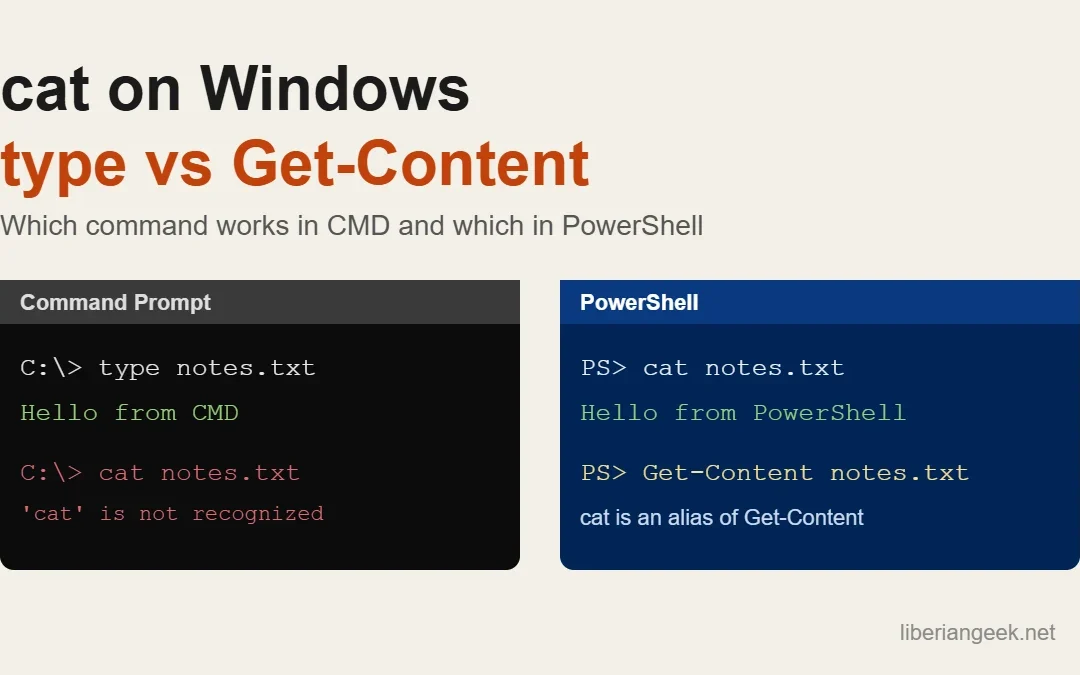
Quick answer: in PowerShell, cat file.txt works as-is, because cat is a built-in alias for the Get-Content cmdlet. In Command Prompt (cmd.exe) there is no cat; use type file.txt instead. Both print a text file to the screen, and both can combine several files into...
Windows 11 offers multiple built-in ways to capture your screen — from a full-screen snapshot to a precise region crop — without installing any third-party software. You can take screenshots using the Snipping Tool, keyboard shortcuts like PrtSc or Win+PrtSc, or the...
Splitting the screen in Windows lets you view and work in two or more apps simultaneously — arranged side by side, in corners, or in fully custom zone layouts. Windows provides three methods: keyboard shortcuts for instant snapping, the Snap Windows hover interface,...
When an application freezes on Windows, the system stops responding to that window — making it difficult to switch tasks or continue working normally. You can force quit a frozen app using the Alt+F4 shortcut, Task Manager, the Taskkill command, or the Windows 10...