
All tutorials
Every Liberian Geek guide, newest first. Browse by topic from the menu, or search for the task you need.
1,384 guides · page 9
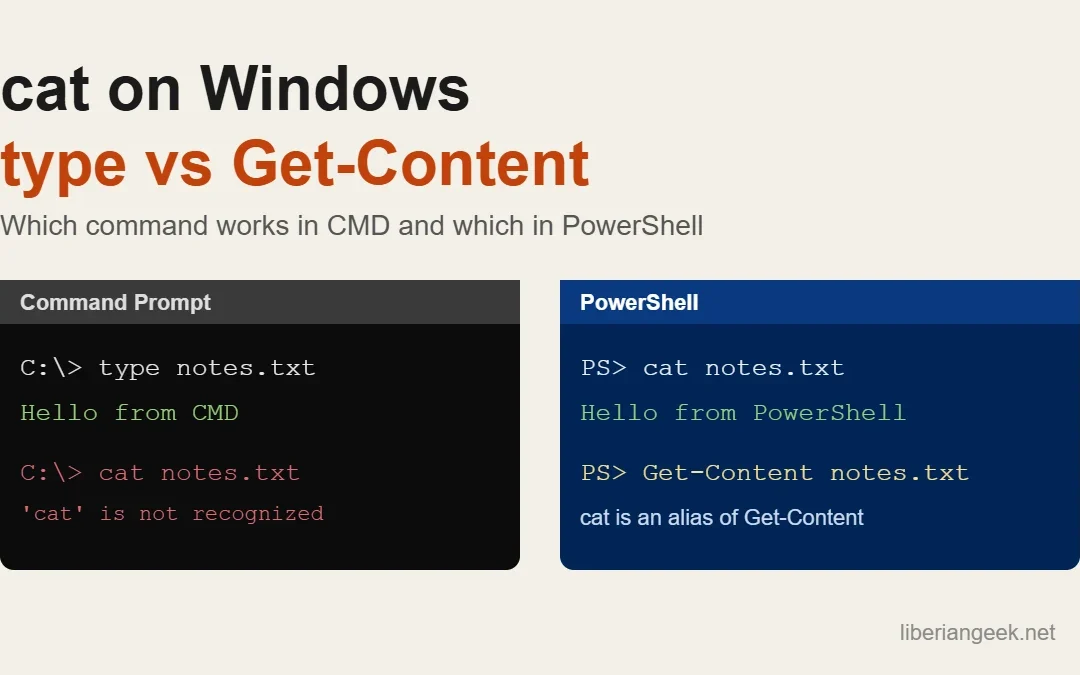
Cat Command in Windows: type, Get-Content and PowerShell cat
Quick answer: in PowerShell, cat file.txt works as-is, because cat is a built-in alias for the Get-Content cmdlet. In Command Prompt (cmd.exe) there is no cat; use type file.txt instead. Both print a text file to the screen, and both can combine several files into...How to Take Screenshots on Windows 11
Windows 11 offers multiple built-in ways to capture your screen — from a full-screen snapshot to a precise region crop — without installing any third-party software. You can take screenshots using the Snipping Tool, keyboard shortcuts like PrtSc or Win+PrtSc, or the...How to Remove Duplicates From List in Java?
The list is the interface that creates an ordered collection of elements and can also contain duplicates. While working with Lists, developers often face the challenge of managing the list by removing duplicate elements from it. Removing the duplicate elements from a...How to Print Prime Numbers Between 1 and N in Java?
Prime Numbers are those numbers that are divisible by 1 and itself. In Java, these prime numbers can easily be calculated by using loops, public variables, and custom logic. Implementing the logic for calculating prime numbers in Java is ideal for new developers...How to Split Screen in Windows
Splitting the screen in Windows lets you view and work in two or more apps simultaneously — arranged side by side, in corners, or in fully custom zone layouts. Windows provides three methods: keyboard shortcuts for instant snapping, the Snap Windows hover interface,...How to Force Quit Applications on Windows
When an application freezes on Windows, the system stops responding to that window — making it difficult to switch tasks or continue working normally. You can force quit a frozen app using the Alt+F4 shortcut, Task Manager, the Taskkill command, or the Windows 10...How to Install Virtualbox on Debian 12
VirtualBox is a free, open-source virtualization application developed by Oracle that lets you run a complete operating system inside a window on your existing Debian 12 system. Each virtual machine runs independently, using a dedicated slice of your CPU, RAM, and...Install Node.js on Debian 12
“Node.js” is a powerful and open-source runtime environment for Javascript that permits you to employ the Javascript as both, the front-end and back-end. It is well-known for its quickness, extensibility, and a large ecosystem of different libraries. It is currently...